
The ChatGPT daily planner prompt (and why plans fall apart by 11 AM)
A ChatGPT daily planner prompt turns a list of tasks and a few facts about your day into a plan you can follow. Copy one of the five below: a basic daily schedule prompt, a prompt for your daily routine and habits, one that adds travel and prep, and versions for students and shift workers.
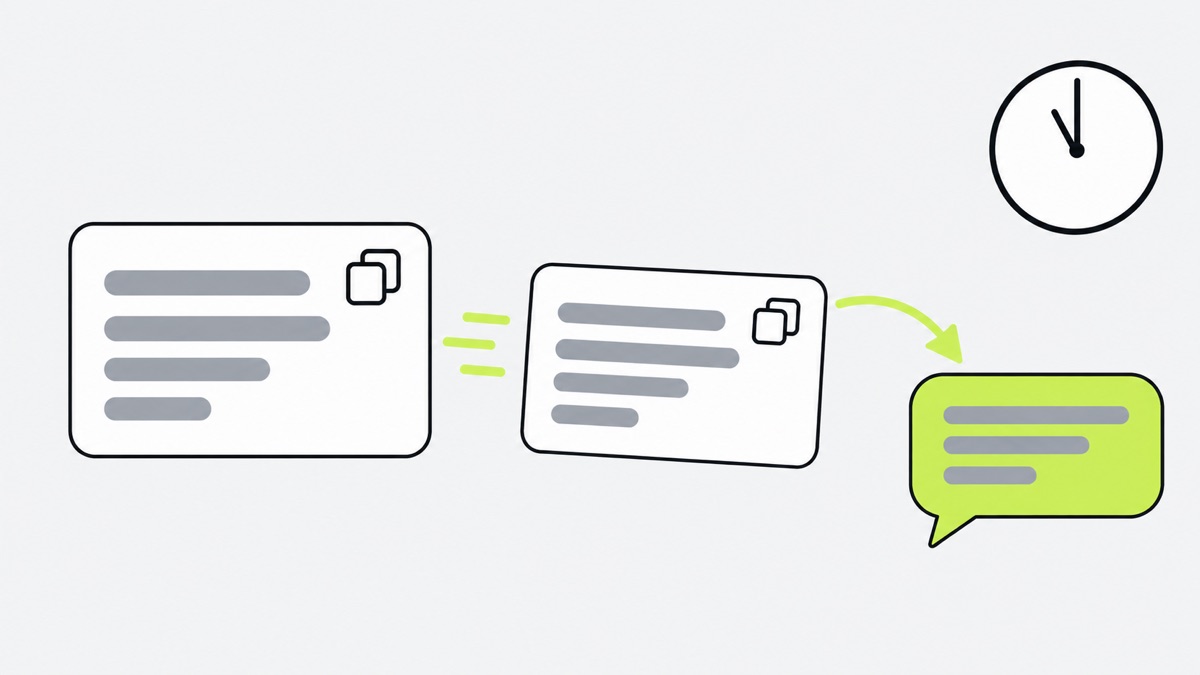
Using ChatGPT to plan my day: how to get a good plan
Three habits make every prompt below work better.
- Say what is fixed. Meetings, classes and appointments. Otherwise ChatGPT moves them.
- Give rough minutes. “Report, about 90 minutes” gives it something to schedule.
- Let it say no. Tell it to drop what does not fit and tell you, instead of cramming.
Fill in the brackets, paste, and read the plan once before you trust it. If your calendar is connected you can tell it to use that for the fixed events. If not, paste tomorrow’s events as text.
A basic ChatGPT daily schedule prompt
Start here if you have never planned a day with ChatGPT. It asks for a plan in a plain format you can follow.
Plan my day for [today / tomorrow].

My day
- I wake up at [7:00] and want to be done by [22:30].
- Fixed events (do not move them): [time, event].
- Things I need to do: [task, rough minutes, deadline if any].

Rules
1. Start from the fixed events.
2. Put the most demanding task in the part of the day when I focus best: [morning / afternoon].
3. Leave about 10 minutes between blocks.
4. If the day does not fit, tell me what you would drop and ask before dropping it.

If something important is missing, ask me up to three questions first.

Then give the plan as one line per step: start time, short action, minutes. No intro, no summary.
A ChatGPT prompt for daily routine: fit habits between meetings and to-dos
Habits are what a to-do list loses first. This prompt puts work first and then places habits only where they fully fit, so you get an honest “not today” instead of a five-minute walk squeezed in when you wanted twenty minutes.
Build my day around what is already fixed, then fit my habits into the gaps.

Fixed (never move): [meetings and appointments with times]
To-dos: [task, minutes, deadline]
Habits I want most days, in priority order:
1. [20-minute walk]
2. [10 pages of reading]
3. [10 minutes of stretching]
My focus window: [9:00 to 12:00]. I fade after: [15:00].

How to place things
- To-dos first, then habits.
- A habit goes in a gap only if the whole habit fits with 5 minutes to spare. Never shrink a habit to squeeze it in, and never put one inside my focus window.
- If a gap is too small for any habit, leave it empty and say so.
- If a habit does not fit anywhere today, drop it and name it in one line at the end. Do not apologise for it.

Give me the plan as: time, action, minutes. Mark habits with (habit).
A ChatGPT daily planner prompt that adds travel, prep and buffers
Most plans that fail on paper fail here. The 2 PM meeting is real. The 35 minutes to get there, the 10 minutes to find a seat and the five minutes to join the call early are what a plan forgets.
Plan my day with the invisible time included.

Fixed events: [time, event, where it is]
To-dos: [task, minutes, where it happens: home / office / errand]
Starting point: [home]. How I travel: [car / bus / walking]. Typical door-to-door times: [home to office 35 min, office to gym 15 min].

Add these yourself, as their own steps:
- Travel before every event that is away from where I will be.
- Prep before anything that needs it: getting ready, packing, joining a call 5 minutes early, a bag or documents.
- A buffer of 10 to 15 minutes before anything with a hard start time (flights, appointments, pickups), and 5 minutes between other blocks.
- Meals, and time to eat them.

If a step is a wait (laundry, oven, a download, a delivery), make the wait its own step with its length, and put one useful thing right after it.

Check the plan as you finish: list any step where I would be in two places or run out of travel time, and fix those before showing me.

Output one line per step: start time, action, minutes.
A ChatGPT day planner prompt for students
You are my study planner. Plan my day for [today / tomorrow].

Classes and fixed commitments: [time, course or event, building]
Deadlines and exams: [item, date]
What I need to study or write today: [course, topic, how long it usually takes me]
Work or club hours: [times]
Sleep: bed by [24:00], up at [7:30].

Rules
1. Put the most urgent deadline first, not the one I would like to start with.
2. Study in blocks of 25 to 50 minutes with a 5 to 10 minute break. Split anything longer.
3. Hard material goes in my best hours: [morning]. Reading and admin go after lunch.
4. Include walking time between classes and a real meal break.
5. Leave one 30-minute slot that is empty on purpose, for things that run over.
6. If I have not left enough time for an exam or deadline in the next [7] days, say so at the end in one sentence.

Format: one line per step with start time, action, minutes.
A ChatGPT daily schedule prompt for shift workers
Standard planners assume a nine-to-five. This one plans backwards from your shift and from sleep.
Plan my day around my shift. I work shifts, so ignore normal "morning" and "evening".

Shift today: [start time to end time] at [place]. Commute: [minutes each way].
Previous night's sleep: [hours]. Next shift: [day and time].
Things I need to do before or after: [errand, minutes, deadline]
Habits I would like when there is room: [walk, meal prep, call someone]

How to plan
1. Work backwards from my shift start. Put getting ready, the commute and a 15-minute buffer first.
2. Count my "morning" as the first 3 hours after I wake up, whatever the clock says. Count my "evening" as the 3 hours before I plan to sleep.
3. Protect sleep: tell me the latest time I should be in bed to get [7] hours before my next commitment, and plan backwards from that.
4. Put errands where shops and offices are actually open.
5. Keep habits small and optional. Skip them on a heavy day.
6. Add a meal before the shift, and one to take with me if the shift is longer than [6] hours.

Output one line per step: start time, action, minutes. Show the day in the order I live it, even if it crosses midnight.
Why a ChatGPT plan falls apart by 11 AM
Say the plan is good. At 8 AM it is. Then the first meeting runs over, the pasta water takes longer than you thought, and a message needs an answer. By 11 AM you are behind, and the plan is a block of text twenty messages up the chat.

That is not a prompt problem. A better prompt will not fix three things that a chat does not do:
- Nothing holds the plan. The plan is text. It does not know which step you are on, so you scroll to find your place.
- Nothing notices waits. The laundry finished 25 minutes ago. The oven timer is on the counter, not in the plan. Unless you have set up a task or reminder, a plain chat reply will not alert you when a wait ends.
- You carry it in your head. Which steps are done, which you skipped, what to say when you re-plan. That is the stress of planning the prompt was meant to remove.
Re-planning also costs a round trip every time: describe what changed, wait, read the new plan, find your place again.
What about ChatGPT’s own Tasks?
ChatGPT has a feature for this, and it is worth knowing what it does. OpenAI’s help page describes scheduled tasks that can run one-time or recurring prompts, monitor for changes and, on some plans, respond to events in Gmail, Slack or GitHub. You manage them from a Scheduled page, and notifications come by push, email or both.
That helps with the morning part. A recurring task can deliver a day plan at a time you choose, and it is a fair way to get a nudge without opening ChatGPT. The limits matter, though. According to the same page, free accounts get flexible windows such as morning or night, while exact delivery times and hourly schedules need an eligible paid plan. Active tasks are capped by plan: 3 on Free and Go, 5 on Plus, 10 on Business and Edu, and 15 on Pro and Enterprise. Tasks do not support voice chats, GPTs or locked chats.
A task is a scheduled run of a prompt. It is a good reminder system and a poor day runner. Both can be true, and plenty of people will find Tasks enough.
Connect ChatGPT to one-by.one so the plan runs
one-by.one is an iPhone app that does not plan anything itself and never calls an AI model. Your ChatGPT (or Claude, or another assistant that supports MCP) makes the plan and saves it to the app as cards. The app shows one card at a time: Start, Done, Skip, Dismiss, and Undo for a mis-tap. A wait gets a timer, and when it ends the follow-up card comes back. Records show what you did, and Lock Screen and StandBy widgets show the current card. When the day changes, tell ChatGPT and it updates the cards. Your AI plans. You just do.
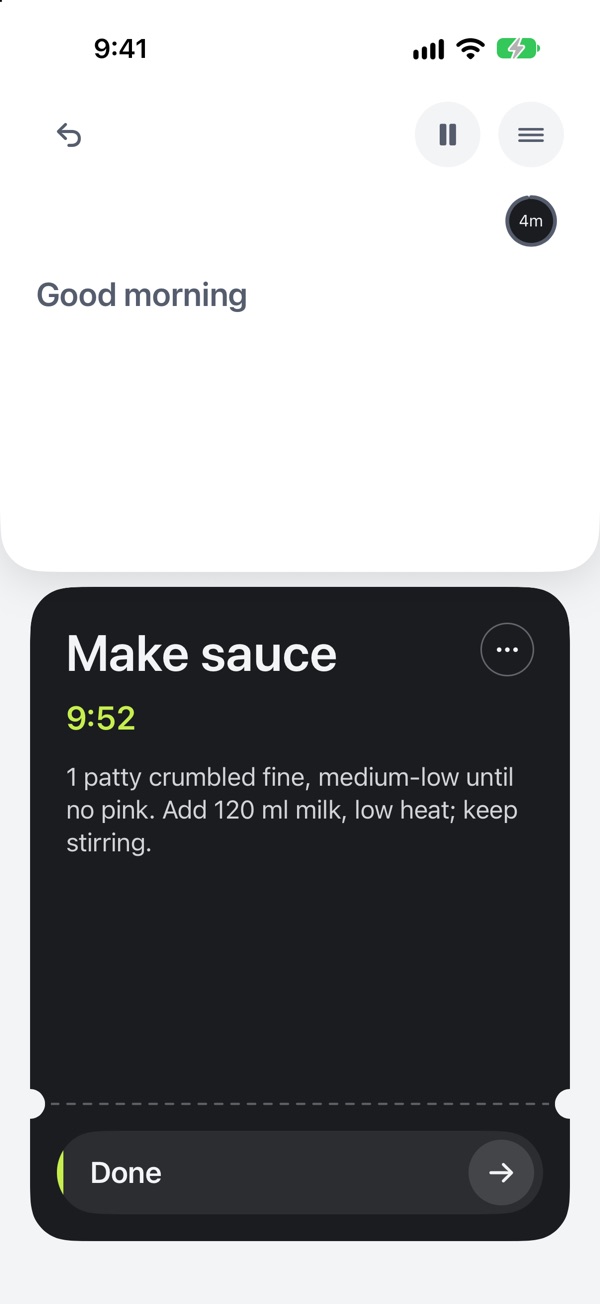
The setup is on our Connect page. For ChatGPT it says to turn on Developer mode if your account allows it (Settings, Security and login, Developer mode), open Plugins, select +, name it one-by.one and enter the server URL below. Older versions call this Apps or Connectors. Then finish the sign-in and pick it from the tools menu in a new chat.
https://mcp.one-by.one/mcpone-by.one is a paid subscription, US$59.99 a year with a 14-day free trial for eligible new subscribers, or US$12.99 a month, and AI connections need it.
Once connected, use any prompt above and add one line at the end: “If you have a one-by.one connection, save this plan there, one action per card, and tell me when it is ready.”
Be clear about the limits. The app is iPhone only, the interface is English only, and there is no free tier. The five prompts also work on their own in any ChatGPT chat.