
Todo app with MCP for Claude and ChatGPT (2026)
A todo app with MCP lets Claude or ChatGPT read and change your tasks from a chat. Todoist, TickTick, Sunsama, Asana, Notion and Salta publish an official connection; Things and Apple Reminders do not.
What is an MCP todo list? What MCP and connectors mean for a to-do list
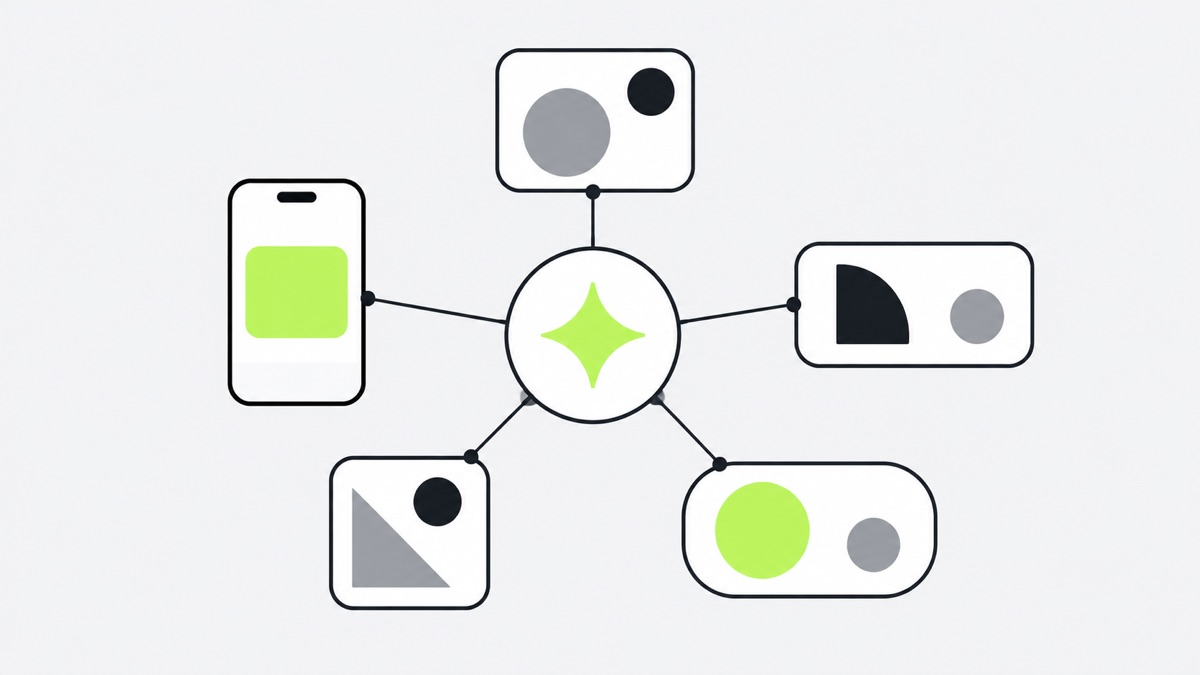
MCP (Model Context Protocol) is an open standard that lets an AI assistant use other apps, reading and changing things inside them, instead of only chatting. A connector is the packaged version: you add an app to Claude or ChatGPT, sign in once, and the assistant can work in your account. In a to-do app that means “what is due today?” and “move these to Friday” work from a chat.
“Official” here means the app’s maker publishes the connection.
MCP todo app comparison: which work with Claude and ChatGPT
| App | Official connector or MCP | Claude / ChatGPT | Read / write | iPhone app | Price |
|---|---|---|---|---|---|
| Todoist | Yes, hosted MCP server | Both | Read, create, update, complete | Yes | Free; Pro $7/month or $60/year |
| TickTick | Yes, MCP server | Both | Read, create, complete, manage lists | Yes | Free; Premium $49.99/year |
| Sunsama | Yes, remote MCP server | Both | — | Yes | $17/month billed yearly, or $22 monthly |
| Asana | Yes, MCP server and apps | Both | Read and write | Yes | Free for up to 2 users; paid from $10.99 per user/month billed yearly |
| Notion | Yes, hosted MCP server | Both listed | Read and update | Yes | Free |
| Things | No | No direct connection | Not applicable | Yes | Paid App Store app |
| Apple Reminders | No | No official connector | Not applicable | Yes (Apple’s own) | — |
| Salta | Yes, MCP server (beta) | Both | Read and write | Yes | Free to start; free over MCP |
| one-by.one | Yes, MCP server | Both, and other MCP assistants | Read and write | Yes | $59.99/year or $12.99/month |
Claude Todoist: how the Todoist connector works with Claude and ChatGPT
Yes, Todoist works with Claude and ChatGPT, and it is the easiest answer to “Claude Todoist.” Its developer docs describe a hosted MCP server at ai.todoist.net/mcp that “works with Claude, ChatGPT, Cursor, and VS Code.” There is also a Todoist connector in Claude and a Todoist plugin in ChatGPT.
Through Claude it can read your tasks and projects and create, update and complete them. Todoist’s own help page lists what it cannot do yet: manage sections, labels, comments or filters, and assign tasks in shared projects. It also warns that asking Claude to “change the date” on a recurring task removes the repeat. Ask it to “reschedule” instead. Todoist says connecting Claude or ChatGPT is open to everyone, free users included. The Pro price is on its plans FAQ, with a 7-day trial.
Todoist is a full task manager that holds everything, with recurring tasks, projects, collaboration and a free tier. Pick it if you want a list you maintain and an AI that can reach into it.
TickTick with Claude and ChatGPT
TickTick publishes an official MCP guide. The server is https://mcp.ticktick.com, with sign-in through OAuth, and the guide has steps for Claude and ChatGPT. Its tools cover searching and filtering tasks, creating and completing them, and managing lists and sections.
Premium is US$49.99 a year on the upgrade page, which lists no monthly option. TickTick also has its own in-app AI Assistant, which its help center says draws on a monthly quota.
TickTick combines tasks with habits and focus records in one app, it is inexpensive, and you can use it without paying. If you want one app for your list, habits and timer, with an AI bolt-on, it is a good fit.
Sunsama
Sunsama is built around planning each day. Its MCP help page gives a remote server at https://api.sunsama.com/mcp with OAuth. For Claude it describes a custom connector (Pro and Team plans); for ChatGPT, installing Sunsama from the plugin directory.
The pricing page shows one plan with “AI + MCP + Zapier” included: $17 a month billed yearly or $22 monthly, with a 14-day trial.
Sunsama is a full daily planner with unlimited integrations, apps for iOS, Android, Mac, Windows and Linux, and a trial that needs no credit card. It costs more per month than most apps here.
Asana
Asana documents an official MCP server (https://mcp.asana.com/v2/mcp) and describes an Asana app in Claude and in ChatGPT. It supports reading and writing: checking status, creating and assigning tasks, and starting projects.
On its pricing page, Personal is free (up to 2 users). Starter is $10.99 per user a month billed yearly, or $13.49 billed monthly.
Asana is built for teamwork. Projects, owners, portfolios and status reporting across people are its strength. For a personal day it is more than most people need.
Notion
Notion hosts its own MCP server at https://mcp.notion.com/mcp, described in its developer guide. The help page lists Claude (Desktop and claude.ai) and ChatGPT Pro as supported, and says AI apps can read and write your pages with your own permissions. The developer guide says Notion MCP works on every plan, with higher limits on Business and Enterprise.
The Free plan costs nothing.
Notion wins on flexibility. If your tasks live next to notes, databases and documents, an AI that can search and edit all of it is powerful. It is a workspace, not a day runner.
Things
Things has no official AI or MCP route. Cultured Code’s support page on AI tools says there is currently no way to connect ChatGPT and Things directly. It adds that third-party MCP servers exist for Claude and other tools, that quality and safety vary, and that you should never give an AI tool your Things Cloud credentials. The approved bridges are the URL scheme, Apple Shortcuts, AppleScript on Mac and Mail to Things.
What Apple users do get is Siri. Things 3.24 added support for Siri AI on OS 27, which is in beta, English-only and limited to some regions. Things is a paid App Store app.
Things is polished and calm for a hand-organized list on Apple devices. If you like organizing your own list, it does that very well. If you want Claude or ChatGPT to reach into it, you are on unofficial ground.
Does Claude work with Apple Reminders?
Partly, though not through MCP. Claude for iOS can add reminders to your Reminders lists if you allow it: Anthropic’s iOS help page says Claude asks for Reminders access when it needs it, can add items to existing lists, set due dates, priorities and notes, and manage recurring reminders, but cannot create or edit the lists themselves. It is a Claude for iOS feature, not an Android one.
There is no official Apple MCP connector for Reminders, only unofficial community MCP servers. On iPhone, Apple’s own AI route is Siri: its support guide describes a ChatGPT extension for Siri.
Reminders is already on your iPhone, it works with Siri and your other Apple apps, and nothing needs to be set up.
Salta
Salta is the closest to what we do. It is a mobile planner with an iPhone app, and its MCP page says you can connect it to Claude, ChatGPT or Cursor, so your AI reads your plan and creates, completes and reschedules tasks in your real Salta account, synced to phone and web. The MCP is labelled beta. The server is https://mcp.getsalta.app, and the page says ChatGPT needs developer mode on a Plus, Pro, Business or Enterprise plan.
Using Salta over MCP is free, and so is creating tasks by hand. Salta’s own in-app AI is metered, with free credits and then a paid subscription.
Salta costs nothing to use over MCP and has iPhone, Android and web apps, voice-first capture and an in-app AI if you want one. It is the better pick if you are not on iPhone.
one-by.one
one-by.one is our app. The difference is that it does not hold a list. Your own AI (Claude, ChatGPT or another MCP assistant, connected at https://mcp.one-by.one/mcp) plans the day: it fits your habits between your fixed events and your to-dos and adds travel and prep. It sees your iPhone calendar only if you turn on calendar sharing in the app and pick calendars; otherwise, tell it your events in the chat. The iPhone app never calls a model. It runs the day one card at a time, with Start, Done, Skip, Dismiss and Undo. Timers hold waits and bring the follow-up card back, Records show what you did, and Lock Screen and StandBy widgets show the current card.
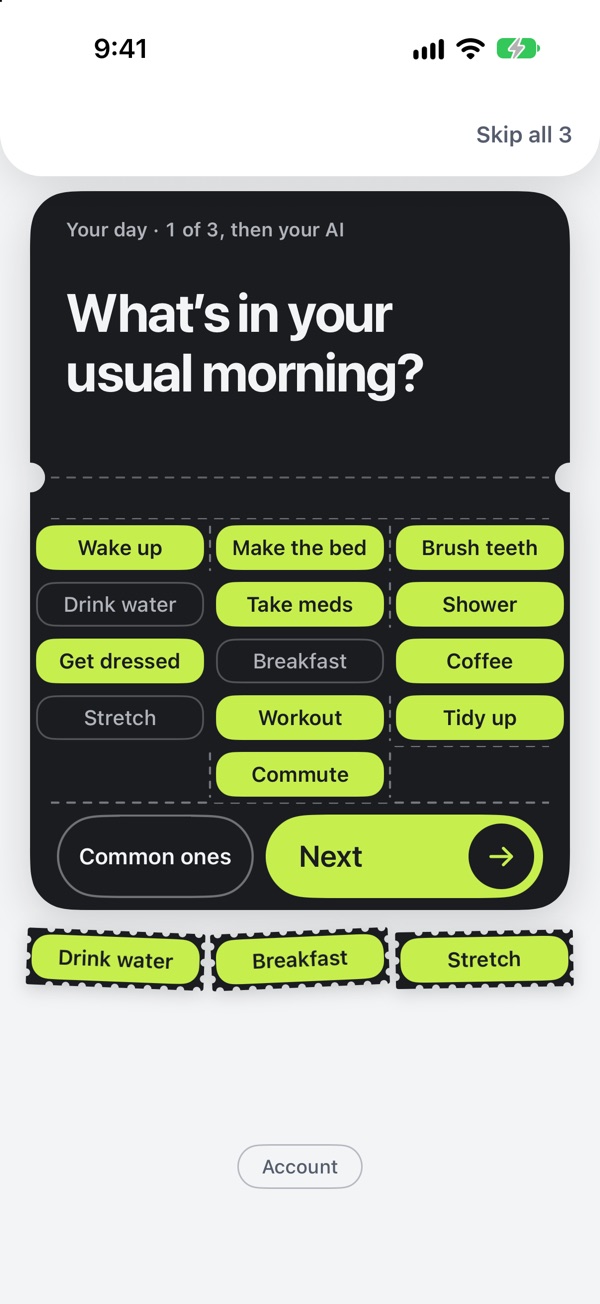
So the question it answers is not “where do I keep my tasks?” but “what do I do now?” Your AI plans. You just do. Steps are on the Connect page and in our guide to adding a custom connector in Claude.
The limits: it is iPhone only, the app is English only, and it is a paid subscription with no free tier, US$59.99 a year with a 14-day trial for eligible new subscribers, or US$12.99 a month. It just came out on the App Store. It is not a place to store everything you might ever do, so if you want that, use Todoist, TickTick or Notion above.
Which app should you pick?
- You want a list you maintain, with an AI that can edit it: Todoist or TickTick. Both have official connectors and free plans.
- Your tasks sit inside notes and documents: Notion.
- You work with a team: Asana.
- You want a guided daily planner: Sunsama.
- You use Things or Reminders and like them: stay, and use Siri or Shortcuts. There is no official connector to Claude or ChatGPT.
- You want your AI to plan the day for free, or you are not on iPhone: Salta.
- You want your AI to plan the day, and the phone to just walk you through it: one-by.one, once it is out.
These are not exclusive. Plenty of people keep a list in Todoist and let a separate app run the day.